ROS Legacy for iOS: Release Status and Compatibility
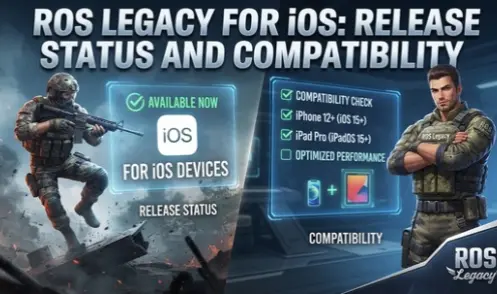
iPhone and iPad users interested in ROS Legacy may be wondering whether the game is available for Apple devices. The project offers an Open Beta version for Android and Windows PC, but its iOS release has a different status. The official mobile download page currently lists iOS as Coming Soon.
If you are using an Apple device, it is important to understand the current release status before searching for an installation file. This article explains iOS availability, device compatibility, and the differences between Android and Apple platforms.
Is ROS Legacy Available for iOS?
ROS Legacy does not currently have a confirmed public iOS release through the Apple App Store. The official download page displays iOS as Coming Soon, meaning an iPhone and iPad version has not been publicly confirmed as available for installation.
Players should check the official website and project announcements for future release information. No confirmed public release date should be assumed until Mirae Labs announces one.
For now, Android and Windows PC are the available platforms listed on the official download page.
Why Can’t You Install ROS Legacy APK on an iPhone?
The Android version is distributed as an APK file, which is designed for Android devices. iPhones and iPads use Apple’s iOS and iPadOS operating systems, which support different application formats.
This means you cannot install the Android APK directly on an iPhone or iPad.
There are also differences in how Android and Apple devices handle application installation, permissions, and security. Even if you transfer an APK file to an iPhone, it will not become a compatible iOS application.
Apple users should wait for a supported iOS release instead of trying to install Android files through unofficial methods.
Will ROS Legacy Be Available on iPhone and iPad?
The official project currently lists iOS as Coming Soon. This indicates that an iOS version is planned or expected, but it does not confirm that a public release is ready.
Until an official announcement provides more information, players should avoid relying on unofficial release dates or installation instructions.
Keep checking the official website for updates about:
- iOS release announcements.
- App Store availability.
- Supported iPhone and iPad models.
- Minimum iOS or iPadOS requirements.
- Installation instructions.
These details should be confirmed by the developer before users attempt to install the game.
How to Check ROS Legacy iOS Updates
If you want to know when the Apple version becomes available, follow these steps:
Step 1: Visit the Official Website
Open the ROS Legacy website and navigate to the mobile download section.
Step 2: Check the iOS Status
Look for the iOS option on the platform selection page. If it still displays Coming Soon, a public iOS download has not been confirmed through that page.
Step 3: Check Official Announcements
Look for release updates from Mirae Labs through its official communication channels. Pay attention to announcements that specifically mention iPhone or iPad support.
Step 4: Check the Apple App Store
Search for ROS Legacy in the App Store when checking for a public iOS release. Verify the developer and application details before installing any similarly named application.
Step 5: Review Device Requirements
Once an official iOS version becomes available, check its supported iOS version and device requirements before installation.
Can You Play ROS Legacy on an iPhone Using an Android Emulator?
Android APK files are not directly compatible with iOS, and installing an Android emulator on an iPhone is not a normal way to access Android games.
Unlike Windows computers, iPhones do not generally support desktop-style Android emulators that can run APK applications.
For this reason, transferring the Android APK or searching for an unofficial emulator is not a reliable solution. Wait for the developer to provide a supported Apple version.
Available Alternatives for iPhone Users
Although a public iOS release is not currently listed, there are a few options to consider.
Wait for the official iOS version: Keep checking the project website for a confirmed announcement and installation details.
Use a supported Android device: Players with a compatible Android phone can access the currently available mobile Open Beta version.
Play on Windows PC: If you have a compatible Windows computer, you can use the separate PC release instead of waiting for the iOS version.
These options allow interested players to follow the project without relying on unsupported installation methods.
ROS Legacy iOS Compatibility and Safety Tips
Be careful when searching for ROS Legacy iOS downloads online. Some websites may advertise unofficial IPA files or claim that the game is already available for iPhone.
Before downloading anything, consider these precautions:
- Check the official website for the current release status.
- Avoid installing unknown configuration profiles.
- Do not enter your Apple ID details on untrusted websites.
- Avoid files that claim to convert Android APKs into iOS applications.
- Verify the developer information before installing an application.
- Wait for an official App Store listing or another confirmed distribution method.
These precautions can help you avoid misleading downloads and potentially unsafe installation methods.
Frequently Asked Questions
Final Words
ROS Legacy is currently available in Open Beta for Android and Windows PC, while the iOS version remains listed as Coming Soon. iPhone and iPad users cannot install the Android APK directly because Apple devices use a different application format.
If you are waiting for the Apple version, follow the official project announcements and check the App Store for a confirmed release. Avoid unofficial installation files and rely on verified information before downloading anything to your device.